


Your sign-in email stays the same until you enter a code sent to your current address, then a different code sent to the new address.
Steps
- Sign in
- Open My account
-
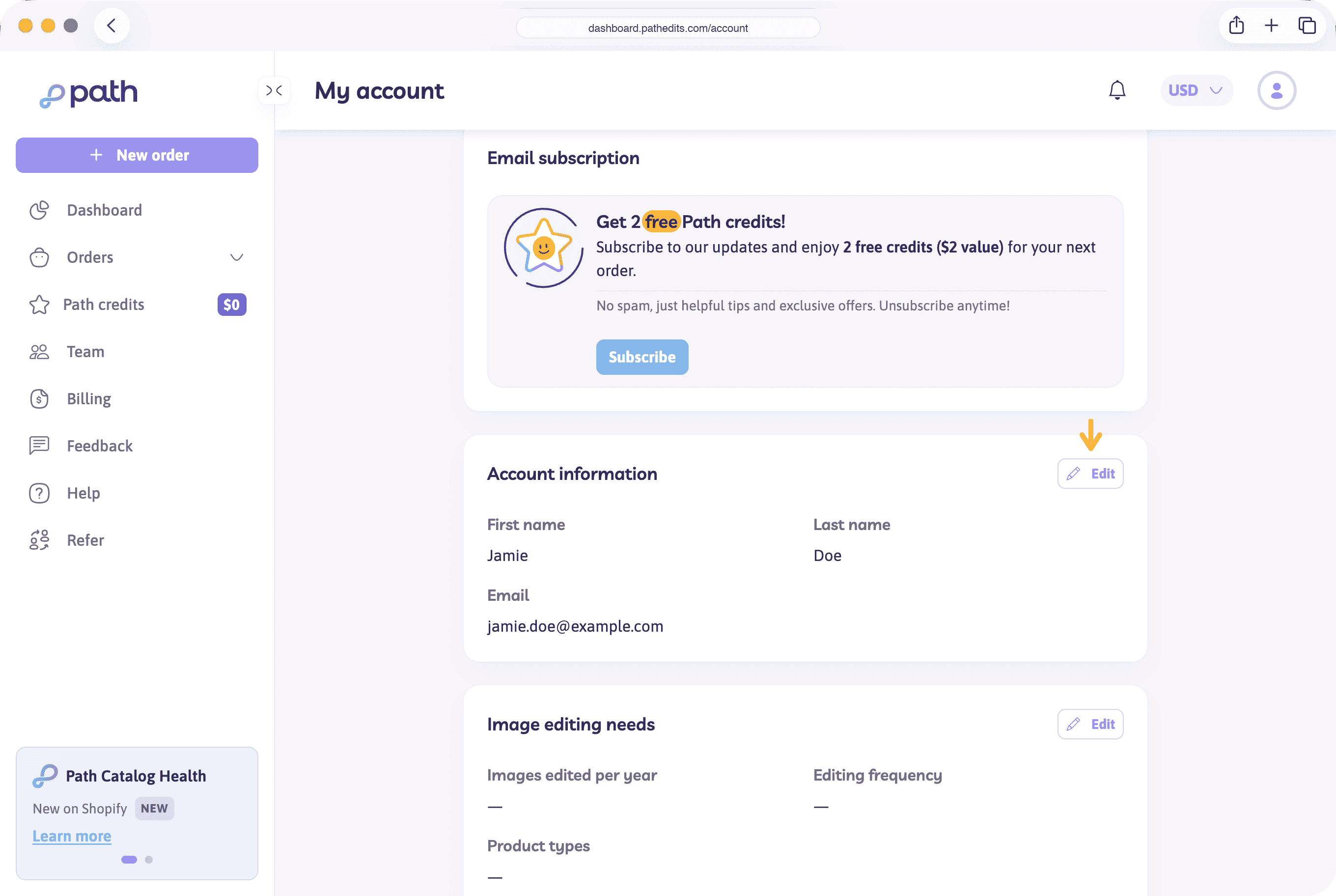
In Account information, choose Edit
-
Enter the new email and choose Save
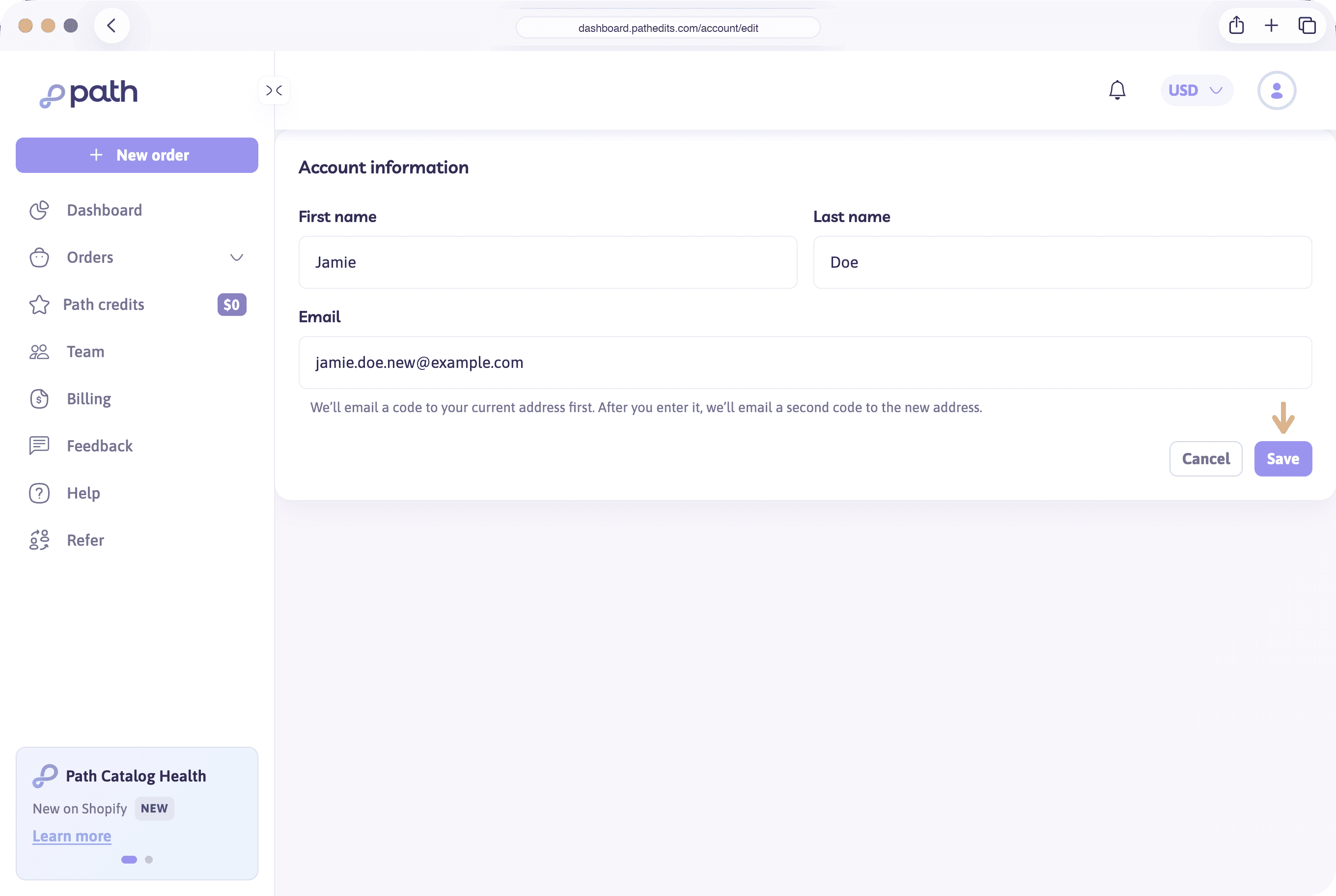
Path checks the address before it sends a code. The address must be a valid email, and it cannot already belong to another Path account. If it does, no code is sent. See This email is already on another Path account.
-
Open the email Confirm the email change on your Path account at your current address. Enter the 6-digit code and choose Continue
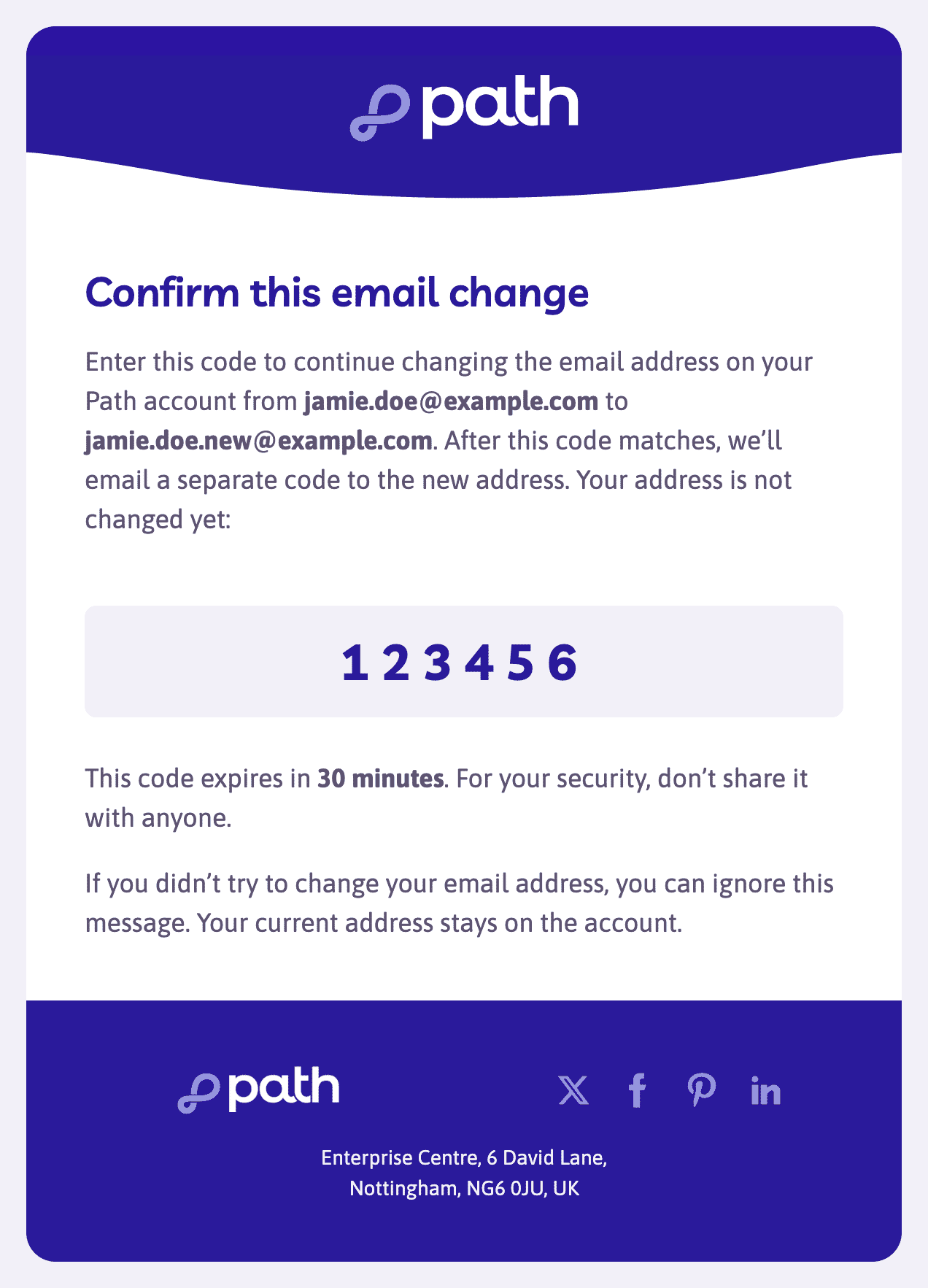
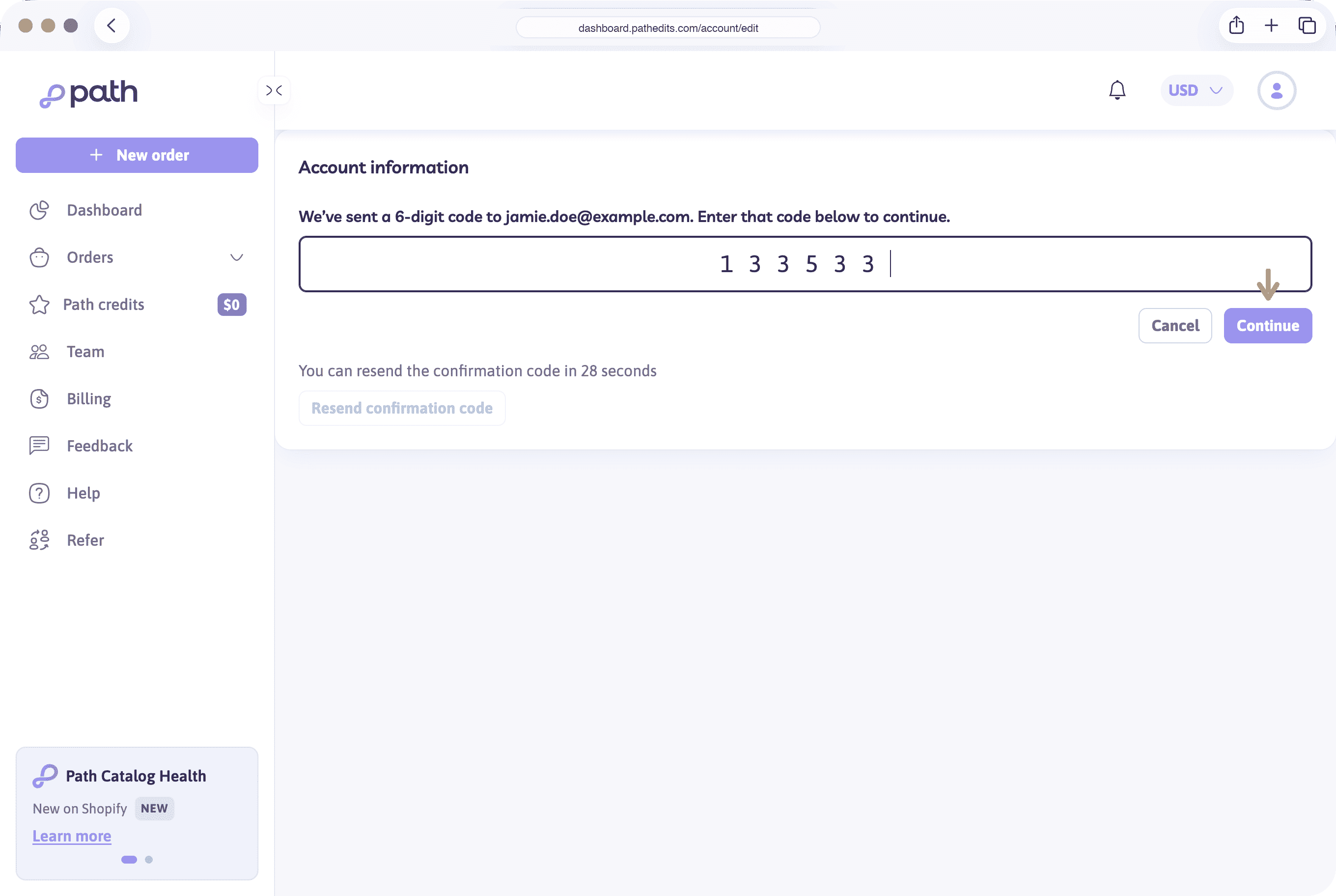
Your email address is not changed yet. After this code matches, Path emails a different code to the new address.
-
Open the email Confirm your new Path email address at the new address. Enter that code and choose Verify and save
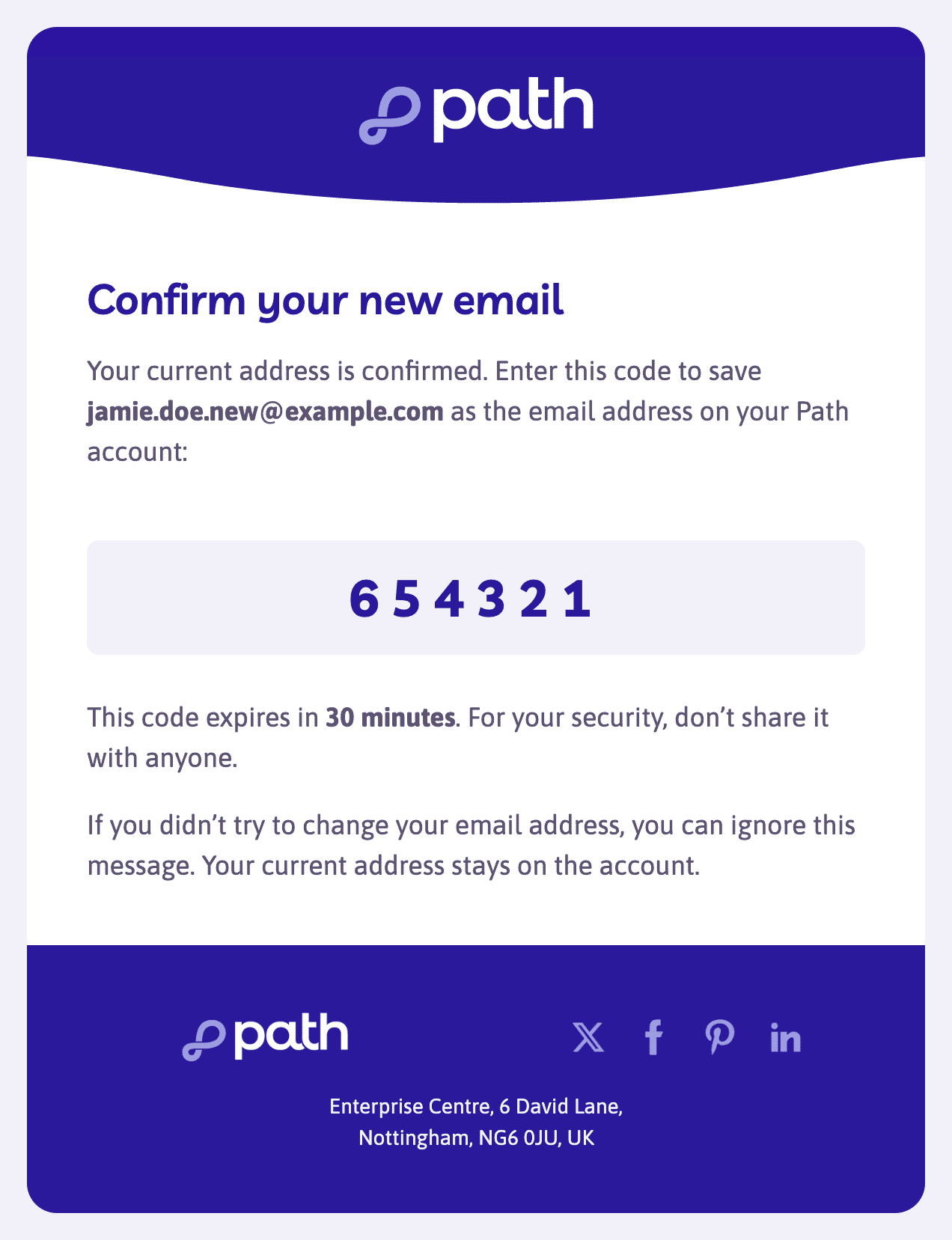
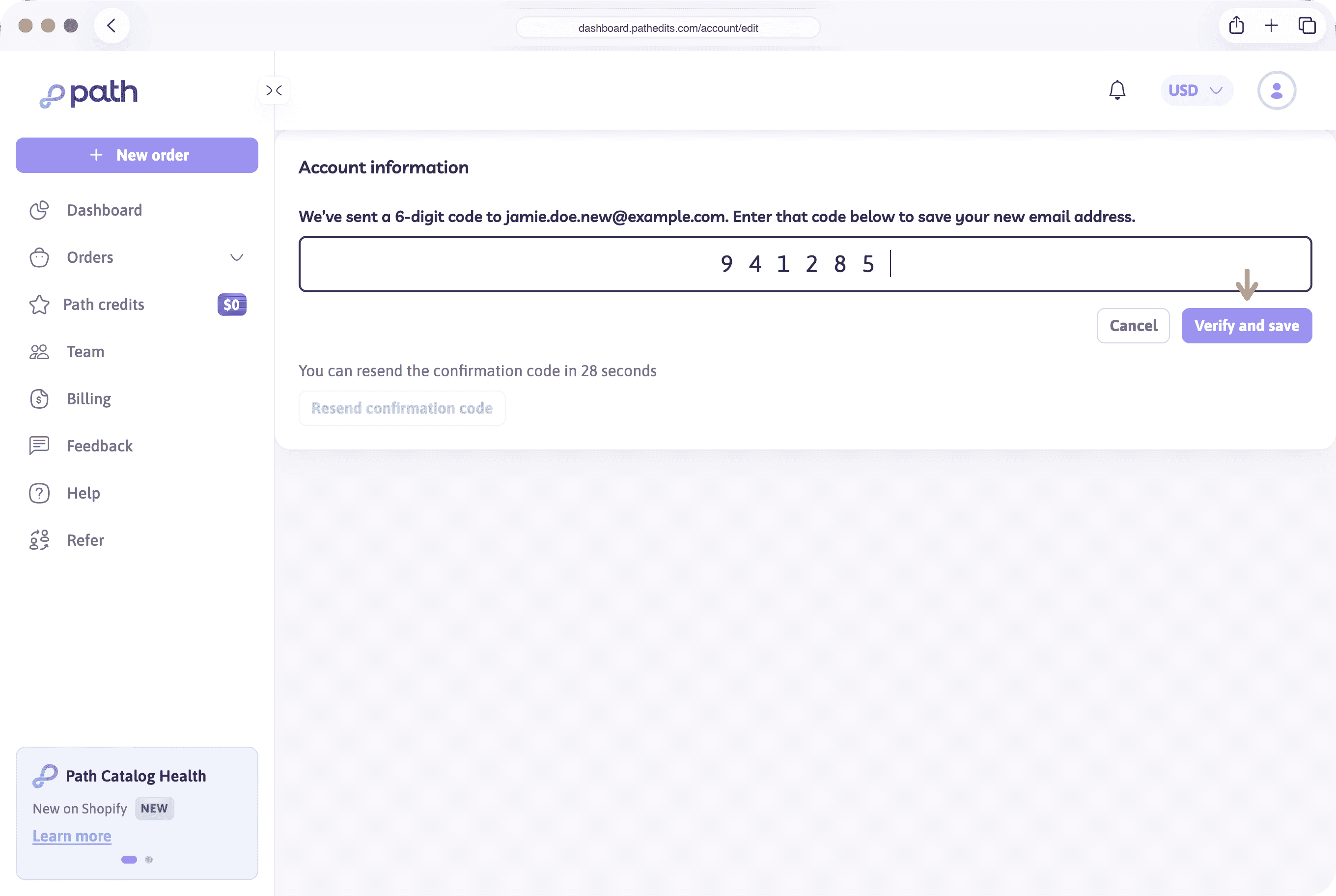
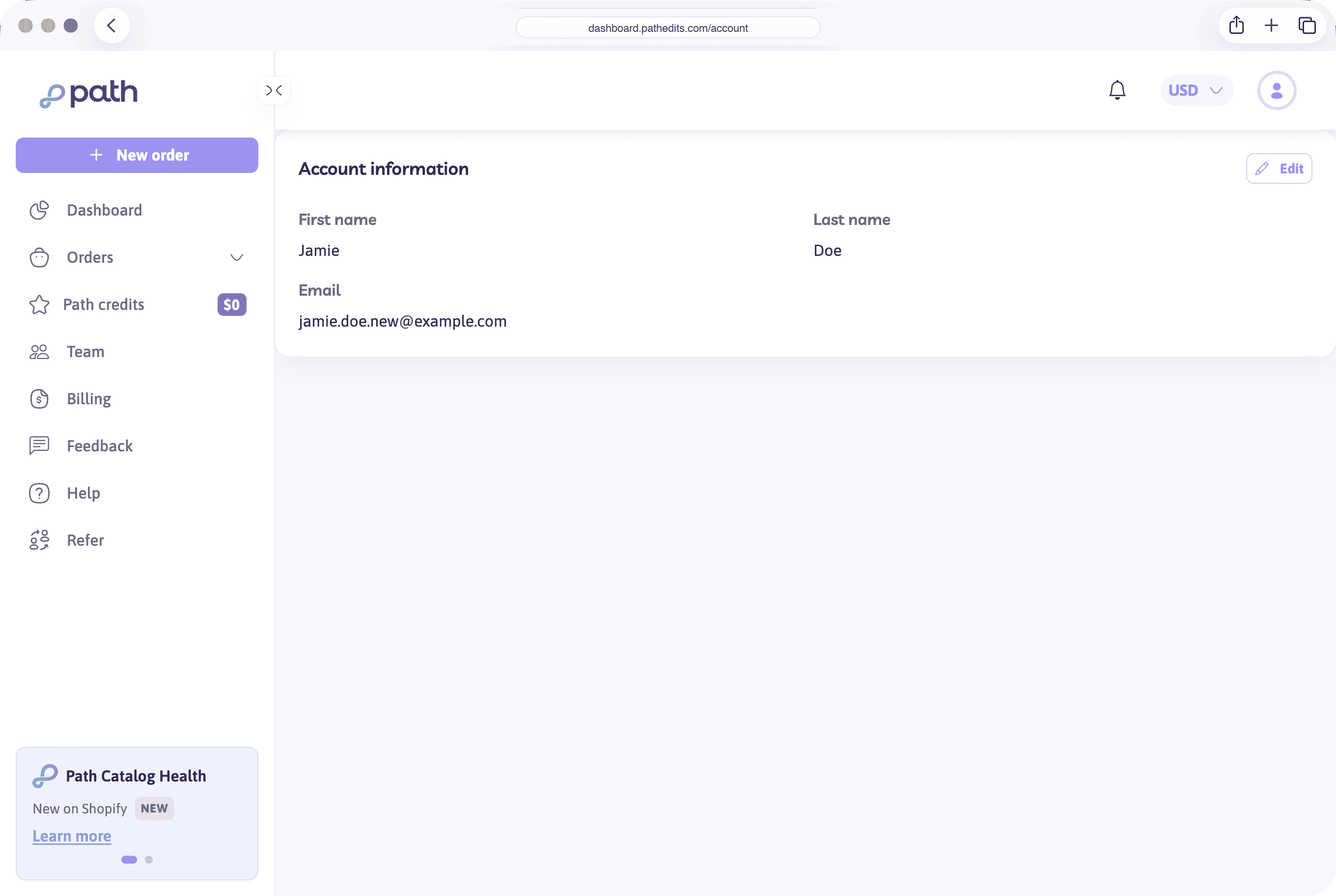
The account email is now the new address. Use it the next time you sign in.
Path also emails your previous address. The subject is Your Path email address was changed. It names both addresses. If you made the change, you don’t need to do anything. If you didn’t, contact hello@pathedits.com so the account can be secured.
If a code doesn’t arrive
- Check spam or junk. The first code goes to your current address. The second code goes to the new address only after the first code matches.
- Each code expires in 30 minutes.
- Resend confirmation code becomes available after about 30 seconds. A new code replaces the previous one — use the latest email.
- An incorrect or expired code shows That confirmation code is incorrect or has expired.
- Cancel leaves your current email in place. You can start again from Edit.
Don’t share the codes. If you didn’t try to change your email, you can ignore the message. Your current address stays on the account.