


You choose the return format on the Preferences step before you pay.
Ask for layers up front
- Start a new order and continue to Preferences
- Open Add details for a copy
- Set Return file format to PSD or TIFF
- Set Background option to Layer mask when you need a cutout you can refine
- In Additional comments on that same Preferences step, name any extra layers you need
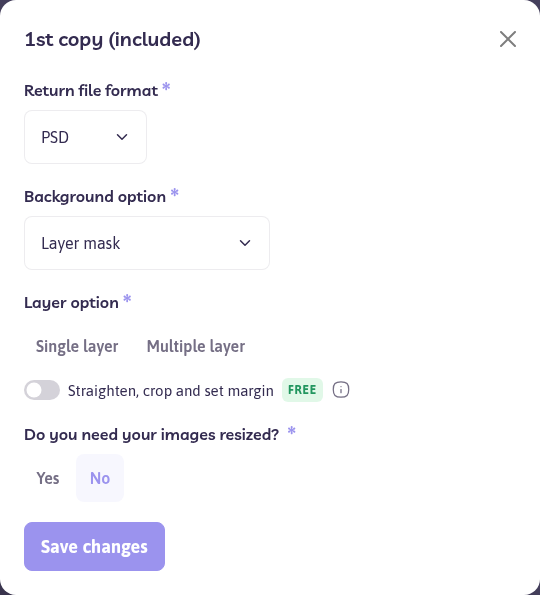
A layer mask keeps the cutout editable. It does not, by itself, split retouching, people, and shadows onto their own layers.
What to write in the comments
Be specific. Examples that editors can follow:
- Retouching on its own layer, with the original pixels underneath
- People on a separate layer from the background
- Shadow on its own layer
- Both the original and the edited version in the file
- A product color on its own layer so you can recolor it later. Finished color versions are a separate service. See Which editing service should I choose?
If a previous order used a layer name you want again, repeat that name in the comments and mention the earlier order number. Path does not apply one layer name to every account unless you ask for it.
Need the same images as a JPG and a PSD? Use Add another copy and set each copy’s format. See Which file formats do you use to send the edited images back to me?.
The file you received is flattened
Request a revision and describe the layer structure you need. See How do I request revisions, corrections, or share feedback on my completed order?. If the PSD will not open, see My download failed, or the files will not open.