


Next Morning is a turnaround option that delivers your edited images by 9:00am the next calendar day in your organization’s timezone — so you can start the day with finished files ready to use.
It sits alongside the usual hour-based options (6, 12, 24, 48, and 96 hours) when you place an order or accept a quote.
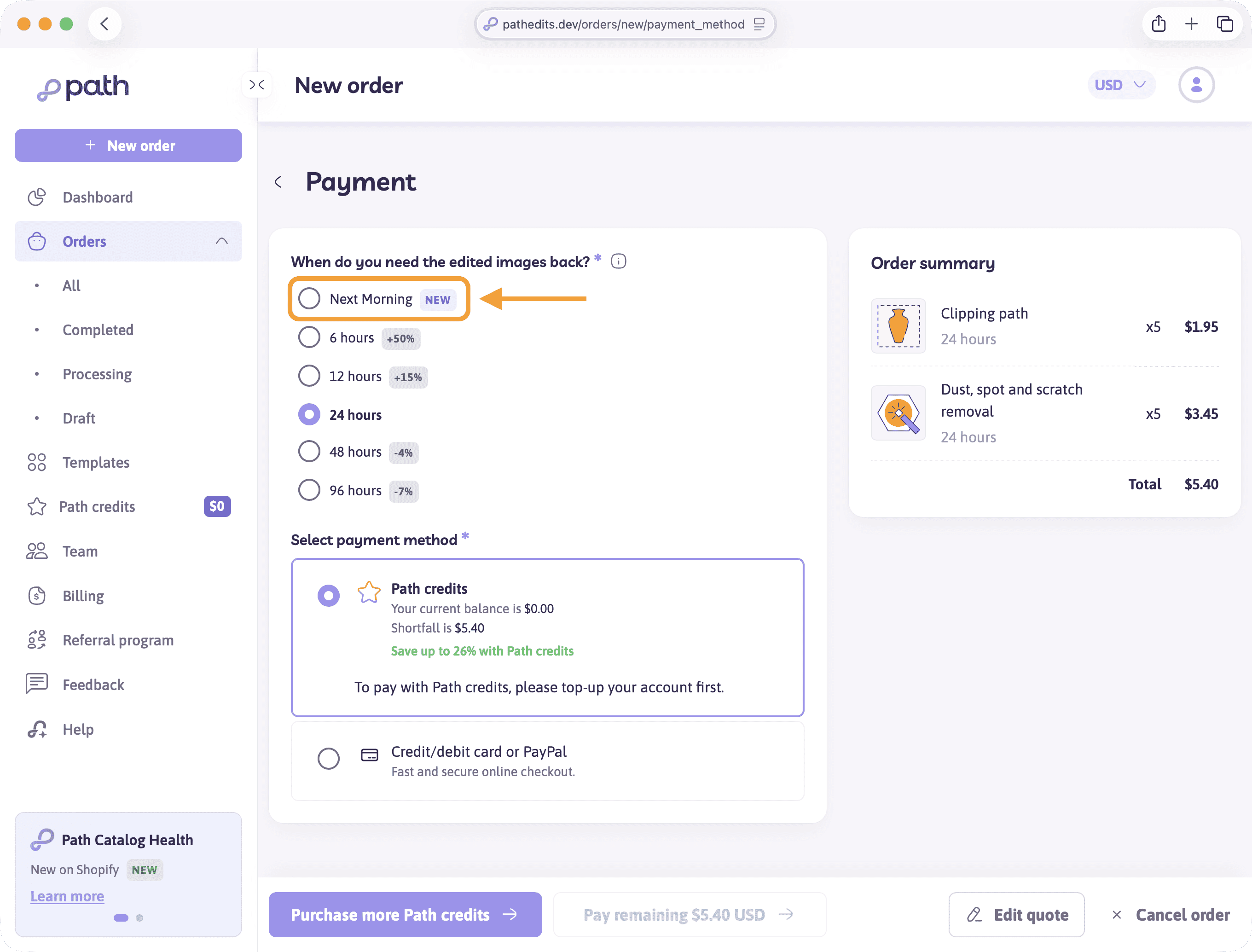
Who can use Next Morning?
Next Morning is available when both of these are true:
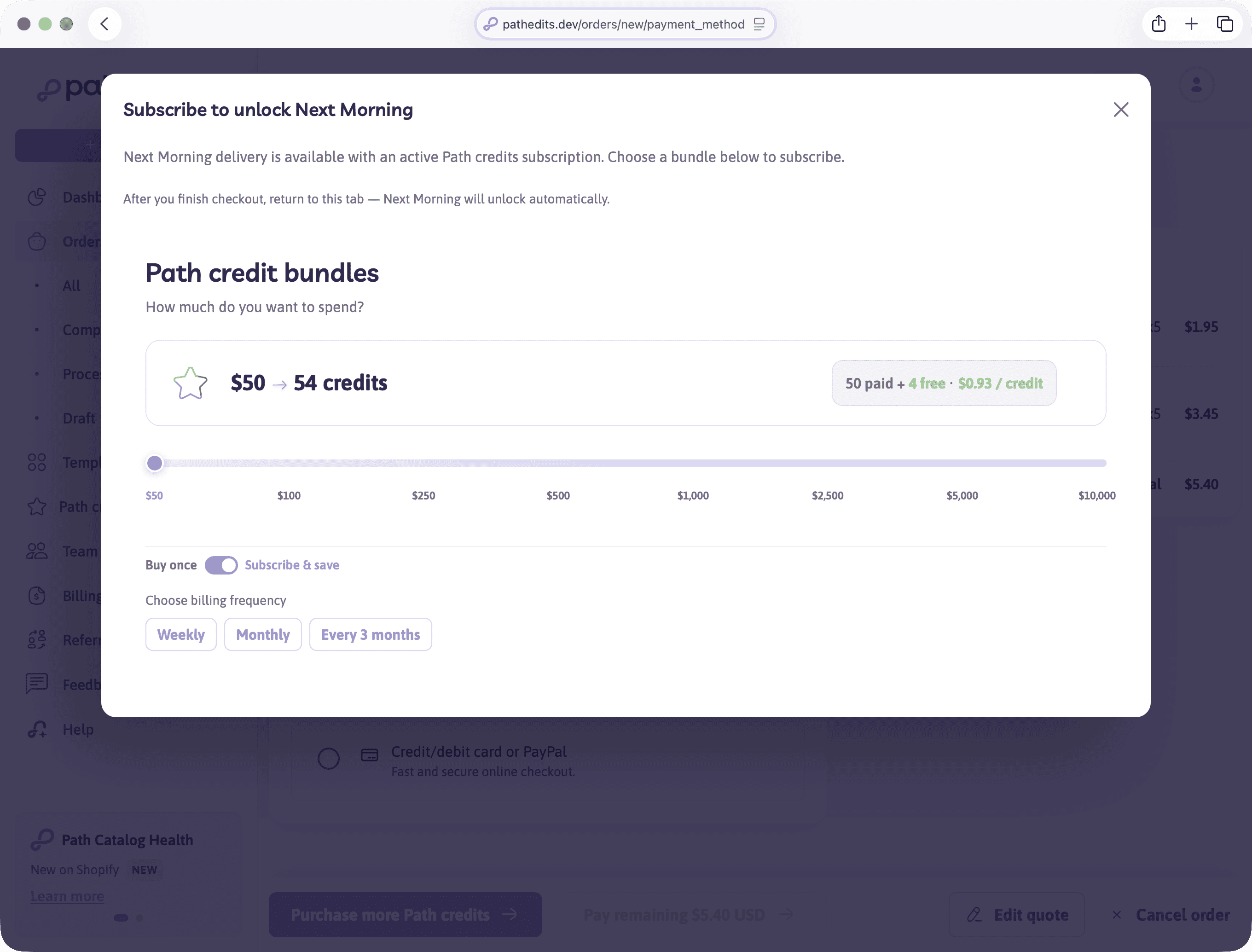
- Your account (or team) has an active Path credits subscription
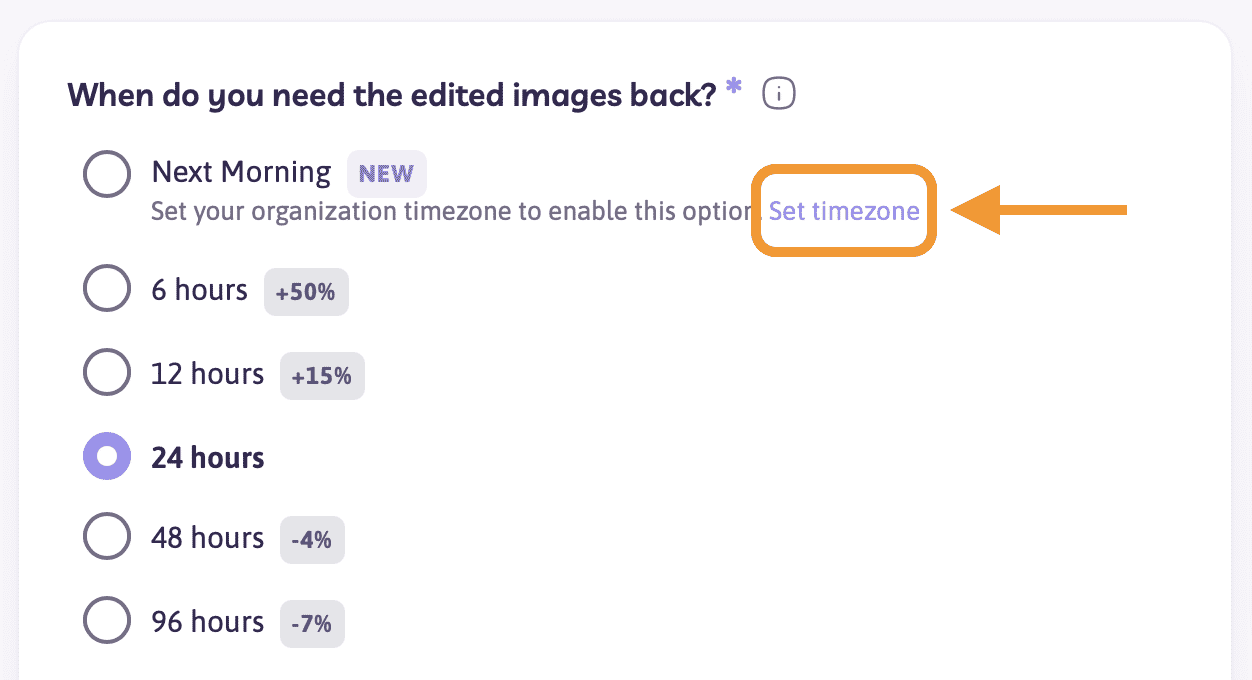
- Your organization timezone is set
If you aren’t subscribed yet, choosing Next Morning opens a prompt to subscribe to Path credits. After you finish checkout, return to the order tab — Next Morning unlocks automatically.
If you’re subscribed but haven’t set a timezone, Next Morning stays unavailable until you set one (you’ll see a short prompt with a Set timezone link).
How the deadline works
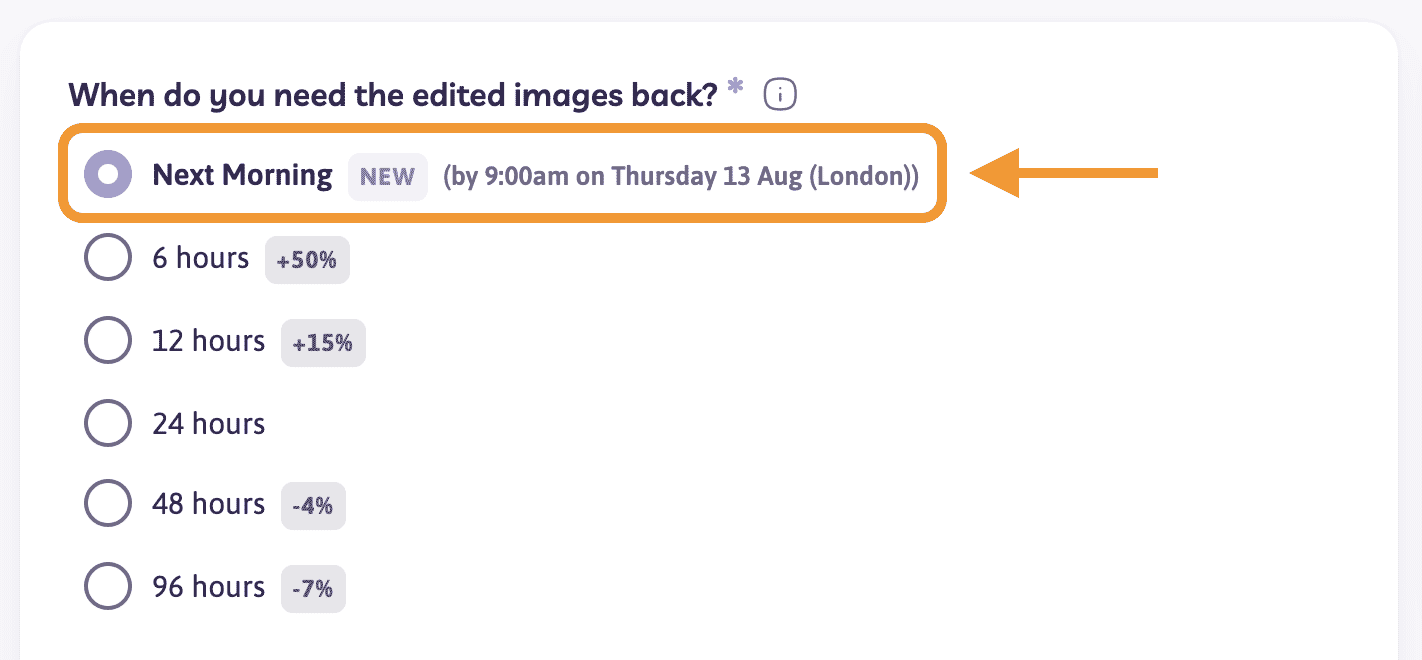
- The deadline is always 9:00am on the next calendar day in your organization’s timezone
- It is not a fixed number of hours from when you place the order (so an order placed late afternoon still targets 9am the following morning)
- The checkout screen shows the exact date and time for your timezone before you pay
Example: if your team timezone is London and you order on Wednesday afternoon, Next Morning targets 9:00am Thursday (London).
Pricing
Next Morning is priced like standard 24-hour turnaround (no rush surcharge for choosing Next Morning itself). Your total still depends on services, image count, and any other options on the order.
How to choose Next Morning
- Start a new order or open a quote ready for payment
- On the turnaround / timing step, select Next Morning
- Confirm the deadline label matches the morning you need
- Continue to payment (Path credits, card, or your usual method)
You can also set or change your organization timezone from your team / organization settings when needed — or use the Set timezone link on the turnaround list.
Tips
- Set your timezone to where your team works day-to-day — that’s the clock Next Morning uses
- Place the order before your local midnight if you need files for the next working morning
- Large or complex jobs may still show other turnaround limits; if Next Morning isn’t offered for a job, choose another option or contact support